





The power of printer automatically turns off
Solution
[Cause]
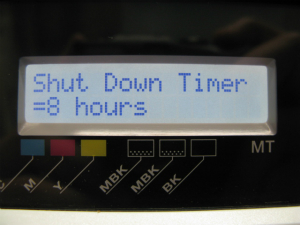
Shutdown timer is set other than [off].
After the printer goes into Sleep Mode, power will be turned off automatically when the situation that the printer is not operated continues until the time being set in advance by operation panel.
When the firmware was updated to the following versions, set value of shutdown timer will be automatically set to 8 hours.
[Setup time]
off /5 min. /10 min. /30 min. /1 hour /4 hours /8 hours* /12 hours
* Factory default setting/Initial value after updating version of firmware
| Model Name | Firmware Ver. |
| iPF9400 | 1.03 or later |
| iPF9400S | 1.01 or later |
| iPF8400 | 1.07 or later |
| iPF8300 | 1.26 or later |
| iPF8300S | 1.07 or later |
| iPF825 | 1.08 or later |
| iPF815 | 1.08 or later |
| iPF755 | 1.30 or later |
| iPF750 | 1.30 or later |
| iPF6450 | 1.08 or later |
| iPF6400 | 1.08 or later |
| iPF6300S | 1.06 or later |
| iPF655 | 1.30 or later |
| iPF650 | 1.30 or later |
| iPF610 | 1.41 or later |
| iPF605 | 1.07 or later |
| iPF5100 | 1.43 or later |
| iPF510 | 1.41 or later |
Please follow the procedures listed below.
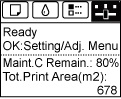
1. On the Tab Selection screen of the Control Panel, press  or
or  to select the Settings/Adj. tab
or to select the Settings/Adj. tab
NOTE
- If the Tab Selection screen is not displayed, press the Menu button.
2. Press or
or  to select [System Setup], and then press the [OK] button.
or to select [System Setup], and then press the [OK] button.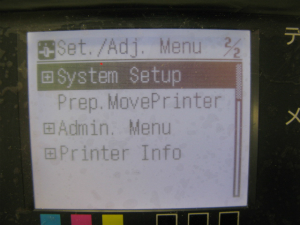
3.Press or to select [Shut Down Timer] , and then press the [OK] button.
or to select [Shut Down Timer] , and then press the [OK] button.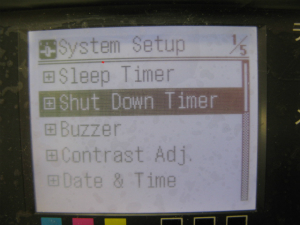
4. Press  or
or  to select [off/5 min./10 min./30 min./1 hour/4 hours/8 hours/12 hours] , and then press the [OK] button.
or to select [off/5 min./10 min./30 min./1 hour/4 hours/8 hours/12 hours] , and then press the [OK] button.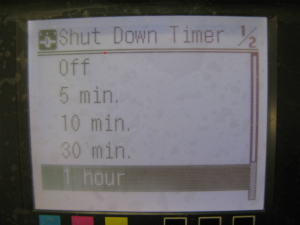
1. Press the [Menu] button and [MAIN MENU] will be displayed.
2. Press  or
or  to select [System Setup], and then press the
  button.
or to select [System Setup], and then press the button.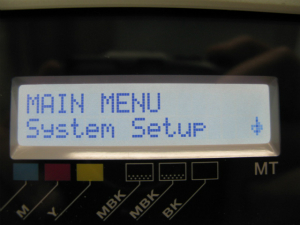
3.Press or to select [Shut Down Timer] , and then press the button.
or to select [Shut Down Timer] , and then press the button.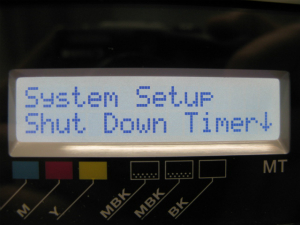
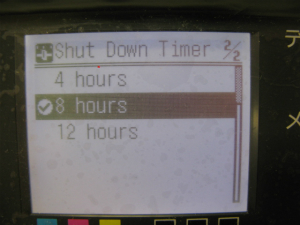
4.Press or to select [off/5 min./10 min./30 min./1 hour/4 hours/8 hours/12 hours] , and then press the [OK] button.
or to select [off/5 min./10 min./30 min./1 hour/4 hours/8 hours/12 hours] , and then press the [OK] button.