








Error messages displayed on the screen (SELPHY CP910)
Solution
If a problem occurs with the printer, a message accompanied with a possible solution appears in the [LCD monitor].
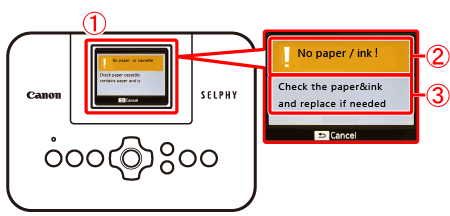
 [LCD monitor]
 Cause of the error
 Workaround
NOTE
- When error messages include troubleshooting tips, follow the instructions.
- If a problem occurs while SELPHY is connected to a camera, an error message may also be displayed on the camera. Check both SELPHY and the camera.
- If these items do not solve your problem, contact a Canon Customer Support Help Desk as listed on the included customer support list.