Checking the Processor Version of Windows Vista
สารละลาย
If you are not sure whether you are using 32-bit Windows Vista or 64-bit Windows Vista, you can check that using the following procedure.
1. From the [Start] menu, select [Control Panel].
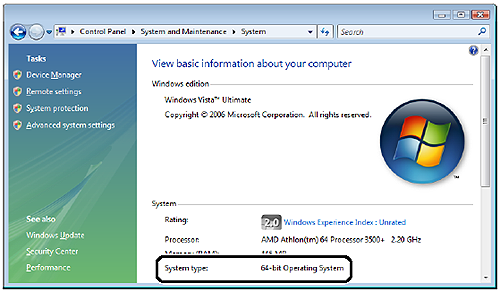
2. Click [System and Maintenance] > [System].
3. Check the processor version of Windows Vista in [System type].
For 32-bit Windows Vista, [32-bit Operating System] appears.
For 64-bit Windows Vista, [64-bit Operating System] appears.