





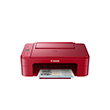
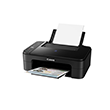
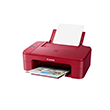
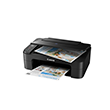
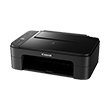
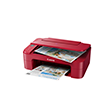
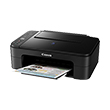
PIXMA E3370
PIXMA E3370
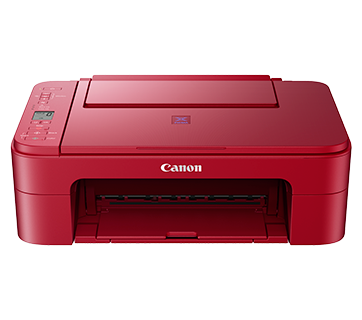
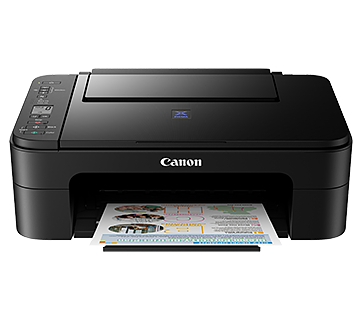
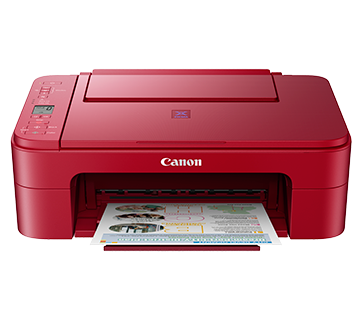
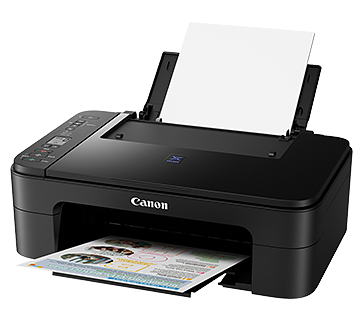
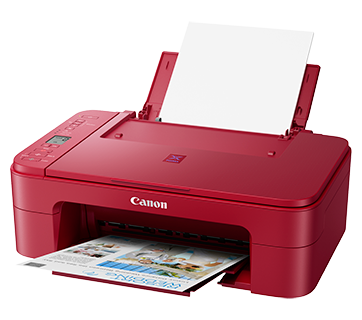
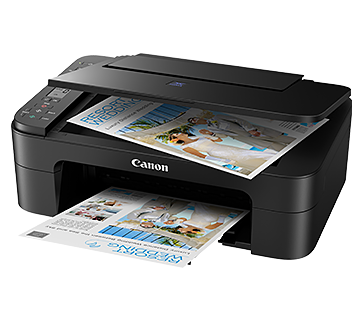
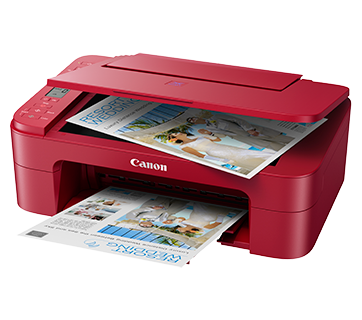
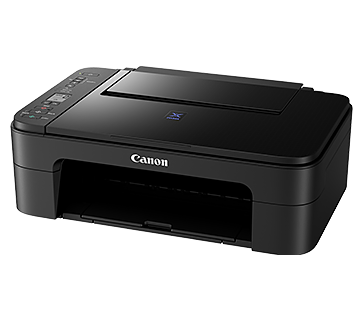
PIXMA E3370
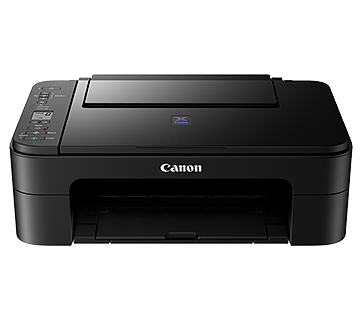
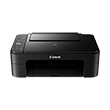
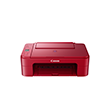
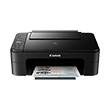
เครื่องพิมพ์หมึกประสิทธิภาพสูงได้รับการออกแบบมาเพื่อใช้ในการพิมพ์แบบไร้สายโดยมีค่าใช้จ่ายต่ำ สามารถพิมพ์ได้ถึง 400 หน้า
โปรโมชั่น
คุณสมบัติเด่น
คุณสมบัติ
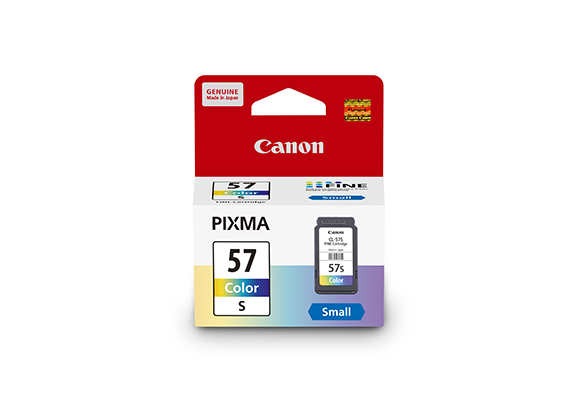
ตลับหมึกราคาประหยัด
ตลับหมึกแบบประหยัดสำหรับการพิมพ์คุณภาพสูง
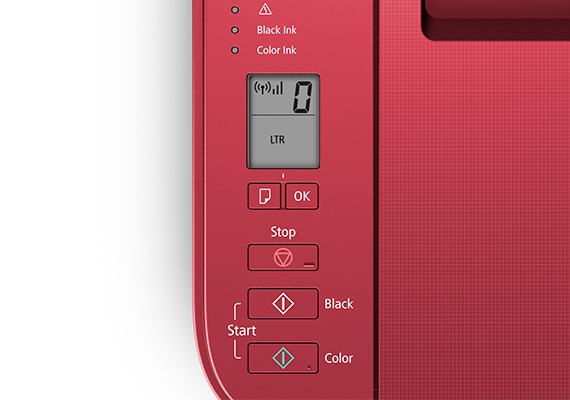
จอ LCD ขนาด 1.5 นิ้วพร้อมตัวแสดงไอคอน
ตั้งค่าจำนวนสำเนาในการถ่ายเอกสารได้อย่างง่ายดาย ไอคอนที่แสดงผลแบบ LCD แสดงสถานะการเชื่อมต่อการพิมพ์และการเชื่อมต่อไร้สาย
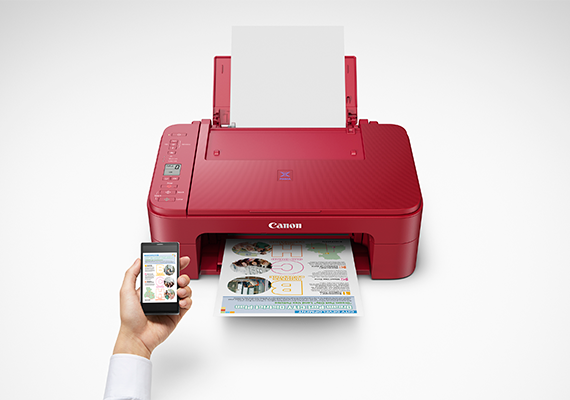
การพิมพ์ผ่านมือถือและระบบคลาวด์
แอพ EASY-PHOTO PRINT EDITOR และ CANON PRINT INKJET/SELPHY ของแคนนอนทำให้การพิมพ์ด้วยระบบไร้สายจากสมาร์ทโฟน มือถือ แท็บเล็ต หรือแลปทอปเป็นเรื่องง่าย
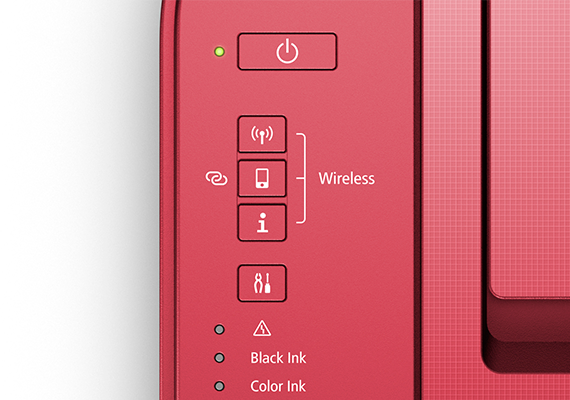
เปิด/ปิดอัตโนมัติ
คำสั่งตรวจจับการสั่งพิมพ์จะเปิดเครื่องอัตโนมัติและปิดเครื่องอัตโนมัติหลังจากเวลาที่ตั้งไว้
Related Pages
วัสดุสิ้นเปลืองที่เกี่ยวข้อง
หมึก/ริบบอน/หัวพิมพ์
|
ชื่อสินค้า
|
จำนวนหน้าที่พิมพ์ได้
|
ประเภทสินค้า
|
ราคา
|
|
CL-57 (Colour)
|
300
หน้า
|
ตลับหมึก
|
|
|
CL-57S (Colour)
|
180
หน้า
|
ตลับหมึก
|
|
|
PG-47 PGBK (Pigment Black)
|
400
หน้า
|
ตลับหมึก
|
ข้อจำกัดความรับผิดชอบ
- 01. จำนวนหน้าโดยประมาณที่สามารถพิมพ์ได้อาจแตกต่างกันไปขึ้นอยู่กับความครอบคลุมของเนื้อหา,การตั้งค่าการพิมพ์,อุณหภูมิ,ความชื้นและความบ่อยในการพิมพ์
- 02. สำหรับขวดหมึก, จำนวนหน้าที่ประกาศไว้คือจำนวนหน้าโดยประมาณตามวิธีการทดสอบของ Canon โดยใช้แผนภูมิสี ISO/IEC 24712 และการจําลองการพิมพ์อย่างต่อเนื่องด้วยขวดหมึกใหม่ 1 ชุด หลังจากการติดตั้ง
-
03. สำหรับตลับหมึก, จำนวนหน้าที่ประกาศไว้ทดสอบโดยใช้มาตราฐาน ISO/IEC 24711 และใช้แผนภูมิสี ISO/IEC 24712 ซึ่งค่าที่ได้จากการพิมพ์ต่อเนื่อง
สำหรับข้อมูลเพิ่มเติมคลิก
กระดาษ / กระดาษคุณสมบัติพิเศษ
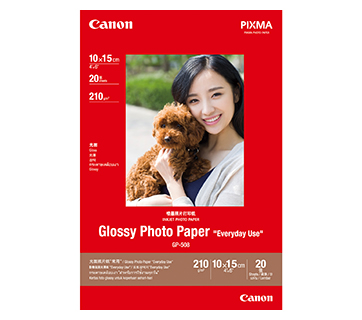
20 แผ่น
20 sheets
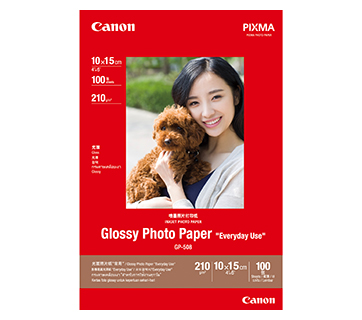
100 แผ่น
GP-508 Glossy Photo Paper
- Economical
- Good Photo Results
- Glossy Finish. Vibrant Colour.
- Grammage - 210g/m2
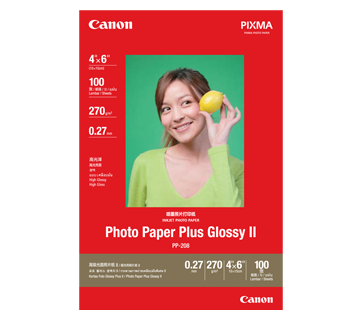
100 แผ่น
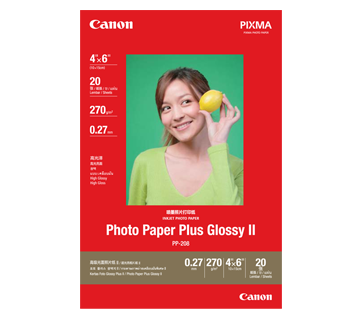
20 แผ่น
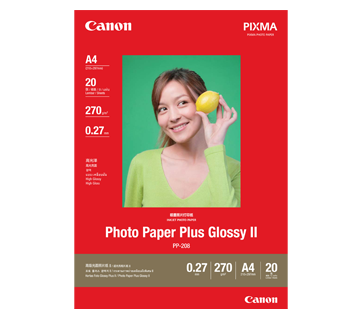
20 แผ่น
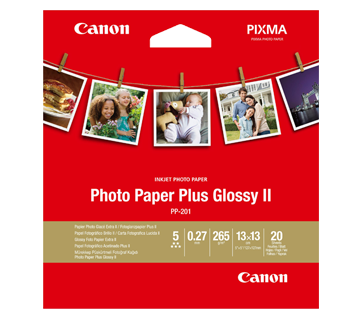
20 แผ่น
PP-201 Photo Paper Plus Glossy II
- Excellent photographic result
- Glossy finish, vibrant colour
- Looks and feels like a traditional photograph
- Colours last up to 30 years
- Grammage - 265g/m2 (3.5 x 3.5”)
Grammage - 275g/m2 (A3, A3+)
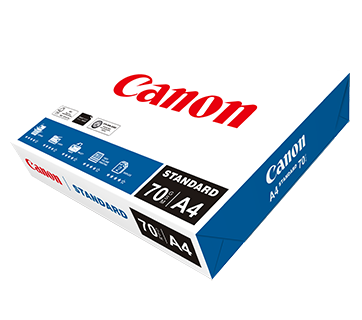
500 แผ่น/รีม (5/ctn)
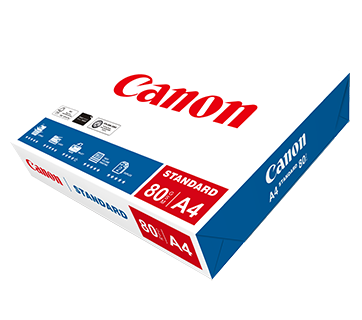
500 แผ่น/รีม (5/ctn)
Standard Paper
Canon Standard is made for high volume and quality printing while keeping the running cost competitive. Ideal paper for your daily high intensity printing needs.
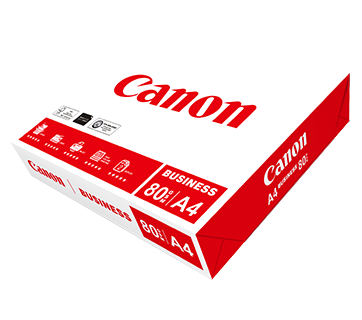
500 แผ่น/รีม (5/ctn)
Business Paper
กระดาษขาวแคนนอนคุณภาพดี เพื่องานเอกสารทางธุรกิจทั่วไป มีค่าความทึบแสงที่เหมาะสมเหมาะสำหรับการสำเนา และพิมพ์สองหน้า
ข้อมูลจำเพาะ
|
Print Head / Ink |
|
|
Type |
Permanent |
|
Number of Nozzles |
Total 1,280 nozzles |
|
Ink Cartridges |
PG-47, CL-57S |
|
Maximum Printing Resolution |
4800 (Horizontal)*1 x 1200 (Vertical) dpi |
|
Print Speed*2 (Approx.) Click here for Summary Report |
|
|
Document (ESAT/Simplex) |
7.7 / 4.0 ipm (Mono/Colour) |
|
Photo (4x6") (PP-201/Borderless) |
65 sec |
|
Printable Width |
Up to 203.2 mm (8") |
|
Printable Area |
|
|
Borderless Printing*3 |
Top/Bottom/Right/Left margin: each 0 mm |
|
Bordered Printing |
Top margin: 3mm, Bottom margin: 5mm |
|
Support Media |
|
|
Rear Tray |
Plain Paper |
|
Paper Size |
|
|
Rear Tray |
A4, A5, B5, LTR, LGL, 4 x 6", 5 x 7", Square (5 x 5") |
|
Paper Size (Borderless)*4 |
4 x 6", 5 x 7", Square (5 x 5") |
|
Paper Handling (Maximum Number) |
|
|
Rear Tray (Plain Paper) |
A4 = 60 |
|
Paper Weight |
|
|
Rear Tray |
Plain Paper: 64-105 g/m², |
|
Ink End Sensor |
Dot count |
|
Print Head Alignment |
Manual |
Scan*5
|
Scanner Type |
Flatbed |
|
Scanner Method |
CIS (Contact Image Sensor) |
|
Optical Resolution*6 |
600 x 1200 dpi |
|
Scanning Bit Depth (Input/Output) |
|
|
Grayscale |
16 bit/8 bit |
|
Colour |
RGB each 16 bit/8 bit |
|
Line Scanning Speed*7 |
|
|
Grayscale |
1.5 ms/line (300 dpi) |
|
Colour |
3.5 ms/line (300 dpi) |
|
Maximum Document Size |
|
|
Flatbed |
A4/LTR (216 x 297 mm) |
Copy
|
Maximum Document Size |
A4/LTR |
|
Compatible Media |
|
|
Size |
A4/A5/B5/LTR/4 x 6"/5 x 7"/Square (5 x 5") |
|
Type |
Plain Paper |
|
Image Quality |
2 positions (Draft, Standard) |
|
Copy Speed*8 (Approx.) Click here for Summary Report |
|
|
Document (sFCOT/Simplex) |
3.0 ipm |
|
Document (sESAT/Simplex) |
2.7 sec |
|
Multiple Copy |
|
|
Mono/Colour: |
1 - 20 pages |
Network
|
Protocol |
SNMP, HTTP, TCP/IP (IPv4/IPv6) |
|
Wireless LAN |
|
|
Network Type |
IEEE 802.11b/g/n
|
|
Range |
Indoor 50 m (depends on the transmission speed and conditions) |
|
Security |
WEP 64/128bit |
|
Direct Connection (Wireless LAN) |
Available (Access Point Mode only) |
Printing Solutions
|
AirPrint® |
Available |
|
Windows 10 Mobile |
Available |
|
Mopria® Print Service |
Available |
|
Canon Print Service |
Available |
|
Cloud Integration Service |
Available |
|
Canon PRINT |
Available |
System Requirements*9
|
|
Windows 10 / 8.1 / 7 SP1 |
General Specifications
|
Operation Panel |
|
|
Display |
LCD (1.5" / 3.8 cm segment mono) |
|
Interface |
USB 2.0 |
|
PictBridge (Wireless) |
Available |
|
Operating Environment*10 |
|
|
Temperature |
5 - 35°C |
|
Humidity |
10 - 90% RH (no dew condensation) |
|
Recommended Environment*11 |
|
|
Temperature |
15 - 30°C |
|
Humidity |
10 - 80% RH (no dew condensation) |
|
Storage Environment |
|
|
Temperature |
0 - 40°C |
|
Humidity |
5 - 95% RH (no dew condensation) |
|
Quiet Mode |
Available |
|
Acoustic Noise (PC Print) |
|
|
Plain Paper (A4, Mono)*12 |
53.5 dB(A) |
|
Power |
AC 100 - 240 V, 50/60 Hz |
|
Power Consumption (Approx.) |
|
|
OFF |
0.3 W |
|
Standby (scanning lamp is off) |
1.7 W |
|
Standby (all ports connected, scanning lamp is off) |
1.7 W |
|
Time to enter Standby mode |
10 min 38 sec |
|
Copying*13 |
11 W |
|
Environment |
|
|
Regulation |
RoHS (EU, China), WEEE (EU) |
|
Dimensions (WxDxH) (Approx.) |
|
|
Factory Configuration |
435 x 316 x 145 mm |
|
Output/ADF Trays Extended |
435 x 553 x 212 mm |
|
Weight (Approx.) |
3.9 kg |
Page Yield*14
- Ink droplets can be placed with a pitch of 1/4800 inch at minimum.
- Document print speeds are the averages of ESAT (Word, Excel, PDF) in Office Category Test for the default simplex mode, ISO/IEC 24734.
Photo print speed is based on the default setting using ISO/JIS-SCID N2 on Photo Paper Plus Glossy II and does not take into account data processing time on host computer.
Print speed may vary depending on system configuration, interface, software, document complexity, print mode, page coverage, type of paper used etc. - Paper Type NOT supported for borderless printing are as follows: Envelope, High Resolution Paper, T-Shirt Transfer, Photo Stickers.
- Paper types NOT supported for borderless printing are as follows: Envelope, High Resolution Paper, T-Shirt Transter.
- TWAIN driver (ScanGear) is based on the TWAIN specification V1.9 and requires the Data Source Manager comes with the operating system.
- Optical resolution scan is available, only when you use TWAIN Driver.
Optical resolution is a measure of maximum hardware sampling resolution, based on ISO 14473 standard. - The fastest speed in Hi-Speed USB on Windows PC. Transfer time to computer is not included.
- Copy speeds are the average of sFCOT and sESAT, ISO/IEC 29183. Copy speeds (ADF) are ESAT of copy in sequence, ISO/IEC24735. Copy speed may vary depending on document complexity, copy mode, page coverage, type of paper used etc. and does not take into account warm-up time.
- Please visit https://asia.canon/support to check OS compatibility and to download the latest driver updates.
- The performance of the printer may be reduced under certain temperature and humidity conditions.
- For the temperature and humidity condition of papers such as photo paper, refer to the paper's packaging or the supplied instructions.
- Acoustic Noise is measured based on ISO 7779 standard with default setting.
- Copy: When copying ISO/JIS-SCID N2 (printed by inkjet printer) on A4 size plain paper using default settings.
- Page yields may vary depending on content coverage, print settings, temperature, humidity, and frequency of printing.
- Declared yield value is in accordance with ISO/IEC 24711, using the ISO/IEC 24712 colour chart. Values obtained by continuous printing.
- Declared yield value is in accordance with ISO/IEC 29102, using the ISO/IEC 29103 chart. Values obtained by continuous printing.
- Estimated supplemental yield.
Disclaimer |
|
|
Print Head / Ink |
|
|
Type |
Permanent |
|
Number of Nozzles |
Total 1,280 nozzles |
|
Ink Cartridges |
PG-47, CL-57S |
|
Maximum Printing Resolution |
4800 (Horizontal)*1 x 1200 (Vertical) dpi |
|
Print Speed*2 (Approx.) Click here for Summary Report |
|
|
Document (ESAT/Simplex) |
7.7 / 4.0 ipm (Mono/Colour) |
|
Photo (4x6") (PP-201/Borderless) |
65 sec |
|
Printable Width |
Up to 203.2 mm (8") |
|
Printable Area |
|
|
Borderless Printing*3 |
Top/Bottom/Right/Left margin: each 0 mm |
|
Bordered Printing |
Top margin: 3mm, Bottom margin: 5mm |
|
Support Media |
|
|
Rear Tray |
Plain Paper |
|
Paper Size |
|
|
Rear Tray |
A4, A5, B5, LTR, LGL, 4 x 6", 5 x 7", Square (5 x 5") |
|
Paper Size (Borderless)*4 |
4 x 6", 5 x 7", Square (5 x 5") |
|
Paper Handling (Maximum Number) |
|
|
Rear Tray (Plain Paper) |
A4 = 60 |
|
Paper Weight |
|
|
Rear Tray |
Plain Paper: 64-105 g/m², |
|
Ink End Sensor |
Dot count |
|
Print Head Alignment |
Manual |
Scan*5
|
Scanner Type |
Flatbed |
|
Scanner Method |
CIS (Contact Image Sensor) |
|
Optical Resolution*6 |
600 x 1200 dpi |
|
Scanning Bit Depth (Input/Output) |
|
|
Grayscale |
16 bit/8 bit |
|
Colour |
RGB each 16 bit/8 bit |
|
Line Scanning Speed*7 |
|
|
Grayscale |
1.5 ms/line (300 dpi) |
|
Colour |
3.5 ms/line (300 dpi) |
|
Maximum Document Size |
|
|
Flatbed |
A4/LTR (216 x 297 mm) |
Copy
|
Maximum Document Size |
A4/LTR |
|
Compatible Media |
|
|
Size |
A4/A5/B5/LTR/4 x 6"/5 x 7"/Square (5 x 5") |
|
Type |
Plain Paper |
|
Image Quality |
2 positions (Draft, Standard) |
|
Copy Speed*8 (Approx.) Click here for Summary Report |
|
|
Document (sFCOT/Simplex) |
3.0 ipm |
|
Document (sESAT/Simplex) |
2.7 sec |
|
Multiple Copy |
|
|
Mono/Colour: |
1 - 20 pages |
Network
|
Protocol |
SNMP, HTTP, TCP/IP (IPv4/IPv6) |
|
Wireless LAN |
|
|
Network Type |
IEEE 802.11b/g/n
|
|
Range |
Indoor 50 m (depends on the transmission speed and conditions) |
|
Security |
WEP 64/128bit |
|
Direct Connection (Wireless LAN) |
Available (Access Point Mode only) |
Printing Solutions
|
AirPrint® |
Available |
|
Windows 10 Mobile |
Available |
|
Mopria® Print Service |
Available |
|
Canon Print Service |
Available |
|
Cloud Integration Service |
Available |
|
Canon PRINT |
Available |
System Requirements*9
|
|
Windows 10 / 8.1 / 7 SP1 |
General Specifications
|
Operation Panel |
|
|
Display |
LCD (1.5" / 3.8 cm segment mono) |
|
Interface |
USB 2.0 |
|
PictBridge (Wireless) |
Available |
|
Operating Environment*10 |
|
|
Temperature |
5 - 35°C |
|
Humidity |
10 - 90% RH (no dew condensation) |
|
Recommended Environment*11 |
|
|
Temperature |
15 - 30°C |
|
Humidity |
10 - 80% RH (no dew condensation) |
|
Storage Environment |
|
|
Temperature |
0 - 40°C |
|
Humidity |
5 - 95% RH (no dew condensation) |
|
Quiet Mode |
Available |
|
Acoustic Noise (PC Print) |
|
|
Plain Paper (A4, Mono)*12 |
53.5 dB(A) |
|
Power |
AC 100 - 240 V, 50/60 Hz |
|
Power Consumption (Approx.) |
|
|
OFF |
0.3 W |
|
Standby (scanning lamp is off) |
1.7 W |
|
Standby (all ports connected, scanning lamp is off) |
1.7 W |
|
Time to enter Standby mode |
10 min 38 sec |
|
Copying*13 |
11 W |
|
Environment |
|
|
Regulation |
RoHS (EU, China), WEEE (EU) |
|
Dimensions (WxDxH) (Approx.) |
|
|
Factory Configuration |
435 x 316 x 145 mm |
|
Output/ADF Trays Extended |
435 x 553 x 212 mm |
|
Weight (Approx.) |
3.9 kg |
Page Yield*14
- Ink droplets can be placed with a pitch of 1/4800 inch at minimum.
- Document print speeds are the averages of ESAT (Word, Excel, PDF) in Office Category Test for the default simplex mode, ISO/IEC 24734.
Photo print speed is based on the default setting using ISO/JIS-SCID N2 on Photo Paper Plus Glossy II and does not take into account data processing time on host computer.
Print speed may vary depending on system configuration, interface, software, document complexity, print mode, page coverage, type of paper used etc. - Paper Type NOT supported for borderless printing are as follows: Envelope, High Resolution Paper, T-Shirt Transfer, Photo Stickers.
- Paper types NOT supported for borderless printing are as follows: Envelope, High Resolution Paper, T-Shirt Transter.
- TWAIN driver (ScanGear) is based on the TWAIN specification V1.9 and requires the Data Source Manager comes with the operating system.
- Optical resolution scan is available, only when you use TWAIN Driver.
Optical resolution is a measure of maximum hardware sampling resolution, based on ISO 14473 standard. - The fastest speed in Hi-Speed USB on Windows PC. Transfer time to computer is not included.
- Copy speeds are the average of sFCOT and sESAT, ISO/IEC 29183. Copy speeds (ADF) are ESAT of copy in sequence, ISO/IEC24735. Copy speed may vary depending on document complexity, copy mode, page coverage, type of paper used etc. and does not take into account warm-up time.
- Please visit https://asia.canon/support to check OS compatibility and to download the latest driver updates.
- The performance of the printer may be reduced under certain temperature and humidity conditions.
- For the temperature and humidity condition of papers such as photo paper, refer to the paper's packaging or the supplied instructions.
- Acoustic Noise is measured based on ISO 7779 standard with default setting.
- Copy: When copying ISO/JIS-SCID N2 (printed by inkjet printer) on A4 size plain paper using default settings.
- Page yields may vary depending on content coverage, print settings, temperature, humidity, and frequency of printing.
- Declared yield value is in accordance with ISO/IEC 24711, using the ISO/IEC 24712 colour chart. Values obtained by continuous printing.
- Declared yield value is in accordance with ISO/IEC 29102, using the ISO/IEC 29103 chart. Values obtained by continuous printing.
- Estimated supplemental yield.
Disclaimer |
|
ซื้อที่ไหนและอย่างไร
เครื่องคำนวณ TCO
ห้องสมุดรูปภาพ
ข้อจำกัดความรับผิดชอบของสินค้า
- 01. ราคา, ข้อมูลจำเพาะ, การวางจำหน่ายและข้อกำหนดในการให้บริการอาจมีการเปลี่ยนแปลงโดยไม่ต้องแจ้งให้ทราบล่วงหน้า
- 02. ผลิตภัณฑ์/บริการอาจได้รับการผลิตและ/หรือจัดหาให้กับแคนนอนโดยผู้ผลิต/ผู้จัดหาที่เป็นบุคคลที่สามเพื่อการจำหน่าย/ขายต่อ (ผลิตภัณฑ์ที่ไม่ใช่ตราสินค้าแคนนอน)
- 03. ราคาข้างต้นเป็นราคาขายปลีกที่แนะนำในสกุลเงินบาทและอาจมีการเปลี่ยนแปลงโดยไม่ต้องแจ้งให้ทราบล่วงหน้า
ข้อจำกัดความรับผิดชอบ
- 01.ราคา, ข้อมูลจำเพาะ, การวางจำหน่ายและข้อกำหนดในการให้บริการอาจมีการเปลี่ยนแปลงโดยไม่ต้องแจ้งให้ทราบล่วงหน้า
- 02.ผลิตภัณฑ์/บริการอาจได้รับการผลิตและ/หรือจัดหาให้กับแคนนอนโดยผู้ผลิต/ผู้จัดหาที่เป็นบุคคลที่สามเพื่อการจำหน่าย/ขายต่อ (ผลิตภัณฑ์ที่ไม่ใช่ตราสินค้าแคนนอน)
- 03.ราคาข้างต้นเป็นราคาขายปลีกที่แนะนำในสกุลเงินบาทและอาจมีการเปลี่ยนแปลงโดยไม่ต้องแจ้งให้ทราบล่วงหน้า
- 04.การคำนวณนี้แสดงต้นทุนรวมขอโอนเนอร์ ตามผลการคำนวณดังต่อไปนี้:
i. การคาดการณ์นี้จัดทำขึ้นเพื่อประมาณการ เพื่อประกอบการอธิบายเท่านั้น ตามสมมติฐานที่ได้มาจากการประเมินความต้องการและการใช้งานที่คาดการณ์ของผู้ใช้เอง ต้นทุนการเป็นเจ้าของจริงอาจแตกต่างกันไปขึนอยู่กับรูปแบบการใช้งานจริงของผู้ใช้สภาพแวดล้อมการพิมพ์วงจรการบำรุงรักษาและปัจจัยอื่นๆ ที่ไม่ได้รับการพิจารณาในการคำนวณนี้ - 05.จำนวนหน้าโดยประมาณที่สามารถพิมพ์ได้อาจแตกต่างกันไปขึ้นอยู่กับความครอบคลุมของเนื้อหา,การตั้งค่าการพิมพ์,อุณหภูมิ,ความชื้นและความบ่อยในการพิมพ์
- 06.สำหรับขวดหมึก, จำนวนหน้าที่ประกาศไว้คือจำนวนหน้าโดยประมาณตามวิธีการทดสอบของ Canon โดยใช้แผนภูมิสี ISO/IEC 24712 และการจําลองการพิมพ์อย่างต่อเนื่องด้วยขวดหมึกใหม่ 1 ชุด หลังจากการติดตั้ง
- 07.สำหรับตลับหมึก, จำนวนหน้าที่ประกาศไว้ทดสอบโดยใช้มาตราฐาน ISO/IEC 24711 และใช้แผนภูมิสี ISO/IEC 24712 ซึ่งค่าที่ได้จากการพิมพ์ต่อเนื่อง สำหรับข้อมูลเพิ่มเติมคลิก