




Checking if MP Navigator EX is installed
สารละลาย
If MP Navigator EX is installed on your computer, you can start it by following the procedure below.

Windows
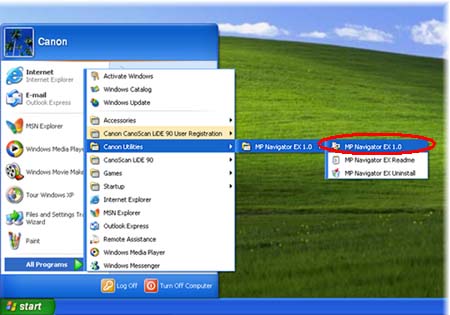
Select [Start] -> [(All) Programs] -> [Canon Utilities] -> [MP Navigator EX 1.0], then click [MP Navigator EX 1.0].
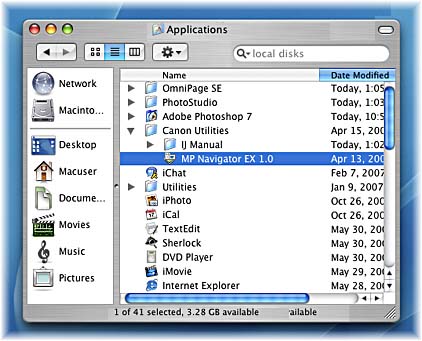
Macintosh
Open [Applications] -> [Canon Utilities] -> [MP Navigator EX 1.0] folders, then double-click the [MP Navigator EX 1.0] icon.