Can a lens filter be used with the camera? (PowerShot G1 X Mark II)
สารละลาย
A lens filter (sold separately) can be used with the camera.*
*In order to use lens filters, the Filter Adapter FA-DC58E (sold separately) must be attached to the camera.
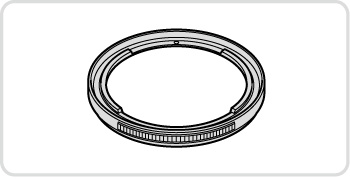 |
Filter Adapter [FA-DC58E] Adapter required when mounting a 58 mm filter. |
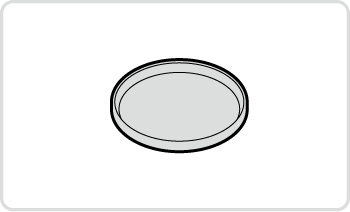 |
Canon-Brand Lens Filter (58 mm dia.) Protects the lens and enables a variety of shooting effects. |
IMPORTANT
- Camera accessories are sold separately. Note that availability varies by area, and some accessories may no longer be available.
- A lens hood and filter adapter cannot be attached to the camera at the same time.
Attaching a lens filter to the camera protects the lens and allows you to shoot with various effects. To attach a lens filter, you will need Filter Adapter FA-DC58E (sold separately).
IMPORTANT
- We recommend the use of genuine Canon filters (58 mm dia.).
- When not using auto focus to shoot, set the manual focus option [Safety MF] to [On].
- If you use the built-in flash with the filter adapter attached, portions of the image may appear darker.
- When using the filter adapter, be sure to use only one filter at a time. Attaching multiple filters, or accessories such as a heavy lens, may cause the attachments to fall off and become damaged.
- Do not grip the filter adapter tightly.
- Remove the filter adapter when not using a filter.\
1. Make sure the camera is off.
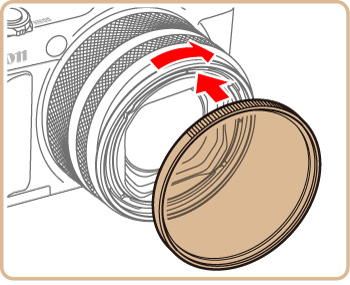
2. Align the notches on the camera and the filter adapter and turn the adapter in the direction of the arrow until locked.
- To remove the filter adapter, turn it in the opposite direction.
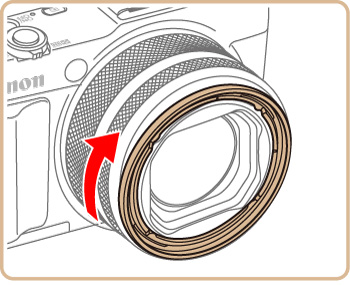
3. Turn the filter in the direction of the arrow to attach it to the camera.
- Make sure not to attach the filter too tightly. Doing so could prevent removal of the filter and damage the camera.