





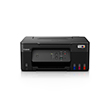
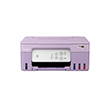
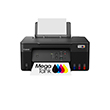
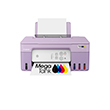
PIXMA G2730
PIXMA G2730
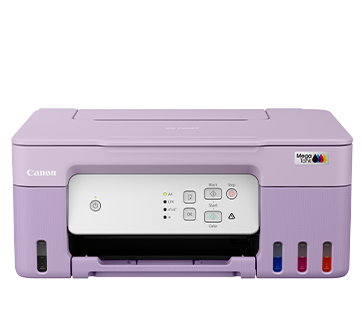

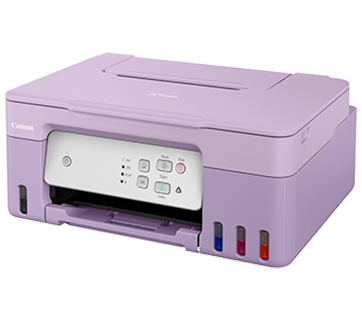
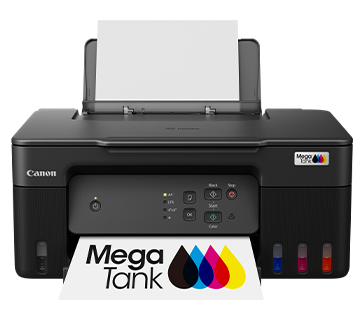

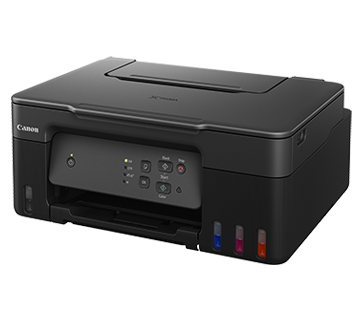
PIXMA G2730
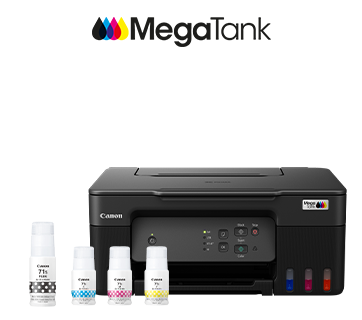
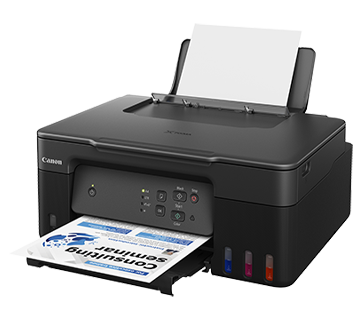
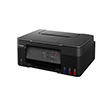
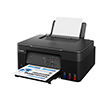
เครื่องพิมพ์ 3-in-1 ประสิทธิภาพสูงนี้ผสมผสานความสามารถของการพิมพ์ที่มีต้นทุนต่ำกับการบำรุงรักษาที่เสียค่าใช้จ่ายต่ำเข้าไว้ด้วยกัน ในขณะเดียวกันยังใช้ได้กับขวดหมึกขนาดประหยัดเพื่อเพิ่มความคุ้มค่ายิ่งขึ้น
โปรโมชั่น
คุณสมบัติเด่น
คุณสมบัติ
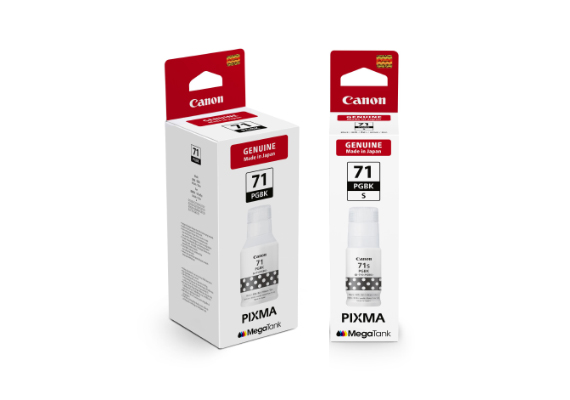
สามารถใช้ได้กับขวดหมึกขนาดประหยัด
PIXMA G2730 ของแคนนอนสามารถใช้ได้กับทั้งขวดหมึกขนาดเล็กและขนาดมาตรฐานเพื่อให้สอดคล้องกับความต้องการปริมาณการพิมพ์ที่แตกต่างกัน

การเติมหมึกง่ายและสะดวก
การเติมหมึกกลายเป็นเรื่องง่าย หัวฉีดขวดหมึกแต่ละสีได้รับการออกแบบให้พอดีกับแทงก์หมึกที่กำหนดเท่านั้น ช่วยลดโอกาสผิดพลาดที่หมึกต่างสีจะผสมกันโดยไม่ตั้งใจ
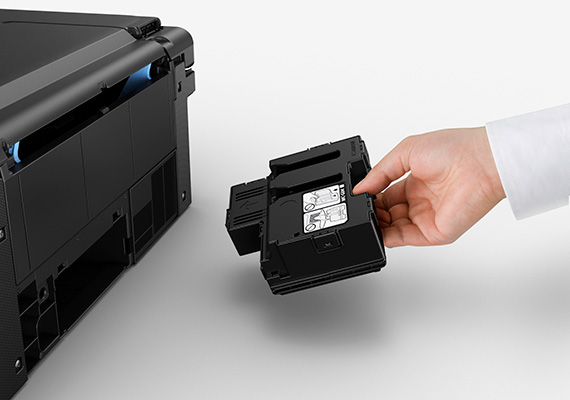
การบำรุงรักษาง่าย
PIXMA G2730 ได้รับการออกแบบให้สามารถเปลี่ยนตลับซับหมึกได้อย่างง่ายดาย ลดความยุ่งยากในการบำรุงรักษาและยืดอายุเครื่องพิมพ์แม้ต้องพิมพ์ในปริมาณมาก
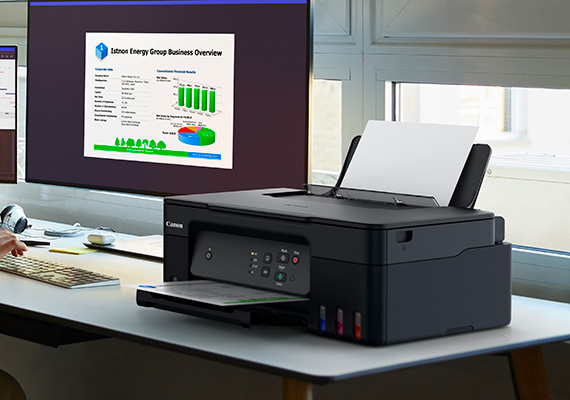
ขนาดกะทัดรัด ประหยัดพื้นที่วาง
ใช้พื้นที่สำหรับวางเครื่องพิมพ์เพียงเล็กน้อย สามารถวางในพื้นที่แคบได้สะดวก
Related Pages
วัสดุสิ้นเปลืองที่เกี่ยวข้อง
หมึก/ริบบอน/หัวพิมพ์
|
ชื่อสินค้า
|
จำนวนหน้าที่พิมพ์ได้
|
ประเภทสินค้า
|
ราคา
|
|
GI-71 C (Cyan)
|
7700
หน้า
|
ขวดหมึก
|
RRP
THB 394.00
|
|
GI-71 M (Magenta)
|
7700
หน้า
|
ขวดหมึก
|
RRP
THB 394.00
|
|
GI-71 PGBK (Pigment Black)
|
6000
หน้า
|
ขวดหมึก
|
RRP
THB 394.00
|
|
GI-71 Y (Yellow)
|
7700
หน้า
|
ขวดหมึก
|
RRP
THB 394.00
|
|
GI-71S C (Cyan)
|
4400
หน้า
|
ขวดหมึก
|
RRP
THB 229.00
|
|
GI-71S M (Magenta)
|
4400
หน้า
|
ขวดหมึก
|
RRP
THB 229.00
|
|
GI-71S PGBK (Pigment Black)
|
3100
หน้า
|
ขวดหมึก
|
RRP
THB 229.00
|
|
GI-71S Y (Yellow)
|
4400
หน้า
|
ขวดหมึก
|
RRP
THB 229.00
|
|
BH-70 (Black)
|
หัวพิมพ์
|
RRP
THB 1,293.00
|
|
|
CH-70 (Colour)
|
หัวพิมพ์
|
RRP
THB 1,293.00
|
|
|
MC-G04
|
แผ่นซับหมึก
|
RRP
THB 461.00
|
ข้อจำกัดความรับผิดชอบ
- 01. จำนวนหน้าโดยประมาณที่สามารถพิมพ์ได้อาจแตกต่างกันไปขึ้นอยู่กับความครอบคลุมของเนื้อหา,การตั้งค่าการพิมพ์,อุณหภูมิ,ความชื้นและความบ่อยในการพิมพ์
- 02. สำหรับขวดหมึก, จำนวนหน้าที่ประกาศไว้คือจำนวนหน้าโดยประมาณตามวิธีการทดสอบของ Canon โดยใช้แผนภูมิสี ISO/IEC 24712 และการจําลองการพิมพ์อย่างต่อเนื่องด้วยขวดหมึกใหม่ 1 ชุด หลังจากการติดตั้ง
-
03. สำหรับตลับหมึก, จำนวนหน้าที่ประกาศไว้ทดสอบโดยใช้มาตราฐาน ISO/IEC 24711 และใช้แผนภูมิสี ISO/IEC 24712 ซึ่งค่าที่ได้จากการพิมพ์ต่อเนื่อง
สำหรับข้อมูลเพิ่มเติมคลิก
กระดาษ / กระดาษคุณสมบัติพิเศษ
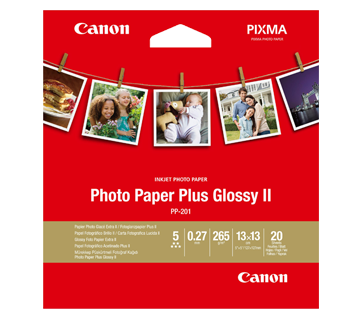
20 แผ่น
PP-201 Photo Paper Plus Glossy II
- Excellent photographic result
- Glossy finish, vibrant colour
- Looks and feels like a traditional photograph
- Colours last up to 30 years
- Grammage - 265g/m2 (3.5 x 3.5”)
Grammage - 275g/m2 (A3, A3+)
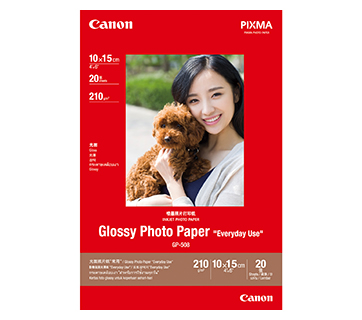
20 แผ่น
20 sheets
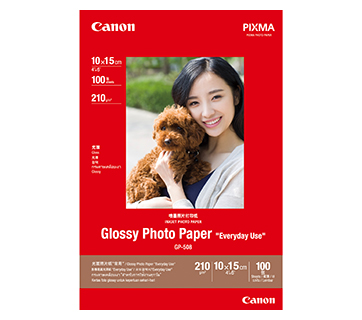
100 แผ่น
GP-508 Glossy Photo Paper
- Economical
- Good Photo Results
- Glossy Finish. Vibrant Colour.
- Grammage - 210g/m2
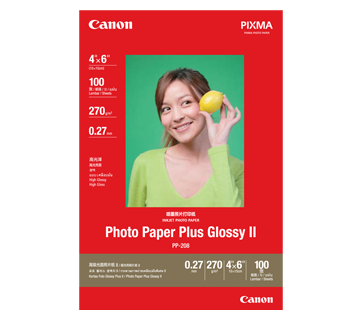
100 แผ่น
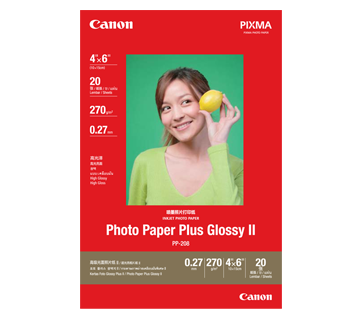
20 แผ่น
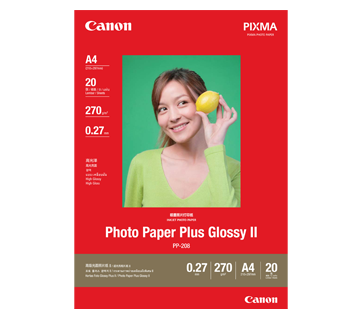
20 แผ่น
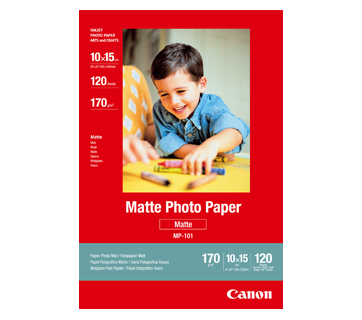
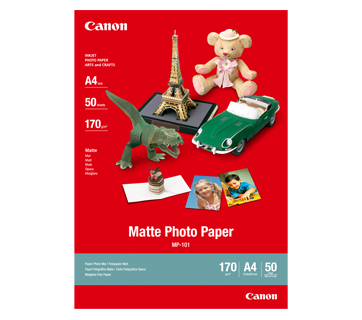
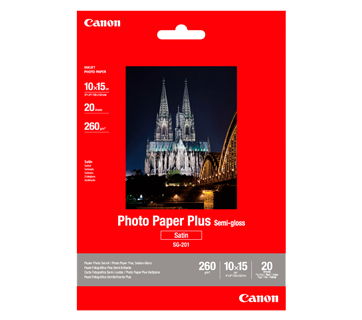
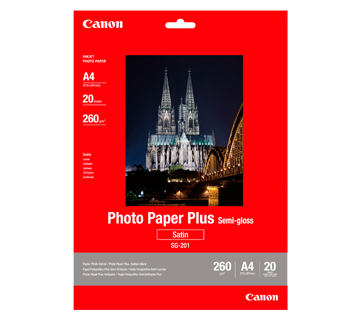
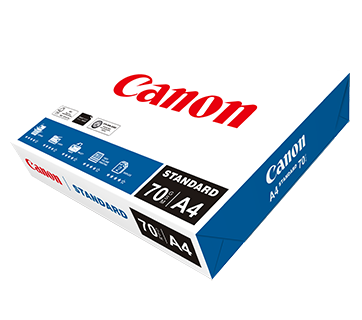
500 แผ่น/รีม (5/ctn)
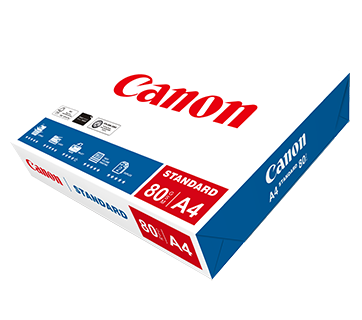
500 แผ่น/รีม (5/ctn)
Standard Paper
Canon Standard is made for high volume and quality printing while keeping the running cost competitive. Ideal paper for your daily high intensity printing needs.
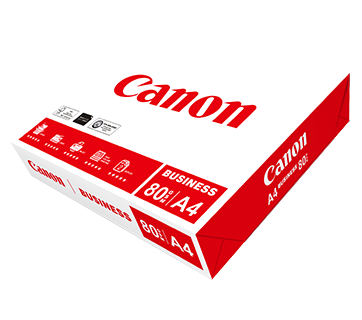
500 แผ่น/รีม (5/ctn)
Business Paper
กระดาษขาวแคนนอนคุณภาพดี เพื่องานเอกสารทางธุรกิจทั่วไป มีค่าความทึบแสงที่เหมาะสมเหมาะสำหรับการสำเนา และพิมพ์สองหน้า
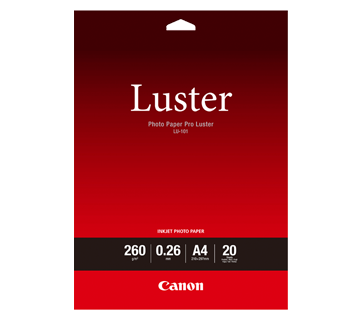
20 แผ่น
LU-101 Photo Paper Pro Luster
- Fast drying time
- Consistent look and colour under display lighting
- Ideal for studio and special event photos
- Semi-gloss finish
- Grammage - 260g/m2
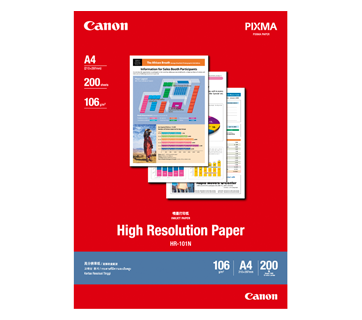
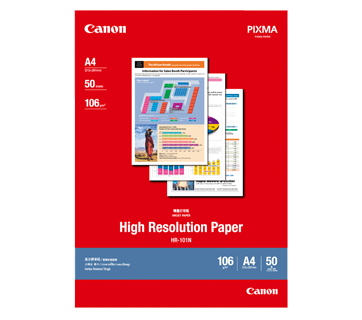

50 แผ่น
MP-101D Double-Sided Matte Paper
- Non-reflective surface
- Ideal for craft making, greeting cards and scrapbooking
- Grammage – 240g/m2 *Please check the supported media sizes against the compatible printers
อ่านที่เกี่ยวข้อง

ข้อมูลจำเพาะ
Print Head/Ink |
|
Number of Nozzles |
Total 1,792 nozzles |
Ink Bottles (Type/Colours) |
GI-71, GI-71S (Bundled) |
Maintenance Cartridge |
MC-G04 |
Print Heads |
BH-70, CH-70
|
Maximum Printing Resolution |
4,800 (Horizontal)*1 x 1,200 (Vertical) dpi |
Print Speed*2 (Approx.) Click here for summary report
|
|
Document (ESAT/Simplex)*3 |
11 / 6 ipm (Mono/Colour) |
Document (FPOT Ready/Simplex)*4 |
9 / 14 sec (Mono/Colour) |
Photo (4 x 6") (PP-201/Borderless)*5 |
45 sec |
Printable Width |
Up to 203.2 m (8")
|
Print Margin |
|
Borderless Printing |
Top/Bottom/Left/Right margin: 0 mm |
Bordered Printing |
Envelopes (COM10, DL):
|
Supported Media |
|
Rear Tray |
Plain Paper (64 - 105 g/m²)
|
Paper Size |
|
Rear Tray |
A4, A5, A6, B5, LTR, LGL, Executive, Oficio 2,
|
Paper Size (Borderless)*6 |
A4, B5, LTR, 4 x 6", 5 x 7", 7 x 10", 8 x 10", Square (89 x 89 mm, 127 x 127 mm), Card Size (91 x 55 mm) |
Paper Handling (Maximum Number) |
|
Rear Tray |
[Plain Paper, A4/LTR]
|
Paper Weight |
|
Rear Tray |
Plain Paper: 64 - 105 g/m²
|
Ink End Sensor |
Dot count type |
Print Head Alignment |
Manual |
Scan*7
Scanner Type |
Flatbed |
Scanner Method |
Contact Image Sensor (CIS) |
Optical Resolution*8 |
600 x 1,200 dpi |
Scanning Bit Depth (Input/Output) |
|
Greyscale |
16 bit / 8 bit |
Colour |
RGB each 16 bit / 8 bit |
Line Scanning Speed*9 (Approx.) |
|
Greyscale |
1.5 ms/line (300 dpi) |
Colour |
3.5 ms/line (300 dpi) |
Maximum Document Size |
|
Flatbed |
A4, LTR (216 x 297 mm) |
Copy
Compatible Media |
|
Size |
A4, A5, A6, B5, LTR, Executive (184.2 × 266.7 mm), 4 x 6", 5 x 7", Square (127 x 127 mm), Card Size (91 x 55 mm) |
Type |
Plain Paper (64 - 105 g/m²)
|
Image Quality |
3 positions (Economy, Standard, High) |
Density Adjustment |
9 positions, Auto Intensity (AE copy) |
Copy Speed*10 (Approx.) Click here for summary report
|
|
Document (Colour): (sFCOT/Simplex)/ (sESAT/Simplex) |
23 sec / 2.7 ipm |
Multiple Copy |
|
Mono/Colour |
Max. 21 pages |
Maximum Document Size |
A4 / LTR |
System Requirements*11
Windows 11 / 10 / 8.1 / 7 SP1 |
General Specifications
Interface |
USB 2.0 |
Operating Environment*12 |
|
Temperature |
5 - 35°C |
Humidity |
10 - 90% RH (no dew condensation) |
Recommended Environment*13 |
|
Temperature |
15 - 30°C |
Humidity |
10 - 80% RH (no dew condensation) |
Storage Environment |
|
Temperature |
0 - 40°C |
Humidity |
5 - 95% RH (no dew condensation) |
Quiet Mode |
Available |
Acoustic Noise (PC Print)*14 (Approx.) |
|
Plain Paper (A4, Mono) |
47.5 dB(A) |
Power |
AC 100 - 240 V, 50/60 Hz |
Power Consumption (Approx.) |
|
OFF |
0.1 W |
Standby (scanning lamp is off)
|
0.6 W |
Copying*15 |
15 W |
Duty Cycle |
Up to 3,000 pages/month |
Dimensions (WxDxH) (Approx.) |
|
Factory Configuration |
416 x 337 x 177 mm |
Output/Trays Extended |
416 x 557 x 268 mm |
Weight (Approx.) |
6 kg |
Page Yield*16
|
Plain Paper
|
A4 Colour Documents*17: |
|
Photo Paper (PP-201) |
4 x 6" Photos*19: |
- Ink droplets can be placed with a pitch of 1/4,800 inch at minimum.
- Print speed may vary depending on system configuration, interface, software, document complexity, print mode, page coverage, type of paper used etc.
- Document print speeds are the average of ESAT, based on the Office Category Test (Word, Excel, PDF), the default simplex mode, and the ISO/IEC 24734 standard.
- Document print speeds are the average of FPOT, based on the Office Category Test, the default simplex mode, and the ISO/IEC 17629 standard.
- Photo print speed is based on the default setting using ISO/JIS-SCID N2 on Photo Paper Plus Glossy II and does not take into account data processing time on host computer.
- The following media or paper types do NOT support borderless printing: Envelope, High Resolution Paper, T-Shirt Transfer, Photo Stickers.
- TWAIN driver (ScanGear) is based on the TWAIN specification V1.9 and requires the Data Source Manager comes with the operating system.
- Optical resolution scan is available, only when you use TWAIN Driver. Optical resolution is a measure of maximum hardware sampling resolution, based on ISO 14473 standard.
- The fastest speed in Hi-Speed USB on Windows PC. Transfer time to computer is not included.
- Copy speeds are the average of sFCOT and sESAT, ISO/IEC 29183.
Copy speeds (ADF) are ESAT of copy in sequence, ISO/IEC 24735.
Copy speed may vary depending on document complexity, copy mode, page coverage, type of paper used etc. and does not take into account warm-up time. - Please visit https://asia.canon/support to check OS compatibility and to download the latest driver updates.
- The performance of the printer may be reduced under certain temperature and humidity conditions.
- For the temperature and humidity conditions of papers such as photo paper, refer to the paper's packaging or the supplied instructions.
- Acoustic Noise is measured based on ISO7779 standard with default setting.
- When copying ISO/JIS-SCID N2 (printed by inkjet printer) on A4 size plain paper using default settings.
- Page yields may vary depending on content coverage, print settings, temperature, humidity, and frequency of printing.
Package contains GI-71S (Black, Cyan, Magenta and Yellow) ink bottles. - Declared yield value is the estimated value based on Canon individual test method using the ISO/IEC 24712 colour chart and continuous printing simulation with the replacement ink bottles after initial setup.
The colour yield is based on 1 set of composite colour bottles. - The Economy mode reduces the ink consumption by lowering the density. More pages can be printed using this mode.
- Declared yield value is the estimated value based on Canon individual test method using the ISO/IEC 29103 chart and continuous printing simulation with the replacement ink bottles after initial setup.
Black ink is not used when printing under this condition. However, a minimal amount of black ink is used for maintenance purposes.
Disclaimer
|
Print Head/Ink |
|
Number of Nozzles |
Total 1,792 nozzles |
Ink Bottles (Type/Colours) |
GI-71, GI-71S (Bundled) |
Maintenance Cartridge |
MC-G04 |
Print Heads |
BH-70, CH-70
|
Maximum Printing Resolution |
4,800 (Horizontal)*1 x 1,200 (Vertical) dpi |
Print Speed*2 (Approx.) Click here for summary report
|
|
Document (ESAT/Simplex)*3 |
11 / 6 ipm (Mono/Colour) |
Document (FPOT Ready/Simplex)*4 |
9 / 14 sec (Mono/Colour) |
Photo (4 x 6") (PP-201/Borderless)*5 |
45 sec |
Printable Width |
Up to 203.2 m (8")
|
Print Margin |
|
Borderless Printing |
Top/Bottom/Left/Right margin: 0 mm |
Bordered Printing |
Envelopes (COM10, DL):
|
Supported Media |
|
Rear Tray |
Plain Paper (64 - 105 g/m²)
|
Paper Size |
|
Rear Tray |
A4, A5, A6, B5, LTR, LGL, Executive, Oficio 2,
|
Paper Size (Borderless)*6 |
A4, B5, LTR, 4 x 6", 5 x 7", 7 x 10", 8 x 10", Square (89 x 89 mm, 127 x 127 mm), Card Size (91 x 55 mm) |
Paper Handling (Maximum Number) |
|
Rear Tray |
[Plain Paper, A4/LTR]
|
Paper Weight |
|
Rear Tray |
Plain Paper: 64 - 105 g/m²
|
Ink End Sensor |
Dot count type |
Print Head Alignment |
Manual |
Scan*7
Scanner Type |
Flatbed |
Scanner Method |
Contact Image Sensor (CIS) |
Optical Resolution*8 |
600 x 1,200 dpi |
Scanning Bit Depth (Input/Output) |
|
Greyscale |
16 bit / 8 bit |
Colour |
RGB each 16 bit / 8 bit |
Line Scanning Speed*9 (Approx.) |
|
Greyscale |
1.5 ms/line (300 dpi) |
Colour |
3.5 ms/line (300 dpi) |
Maximum Document Size |
|
Flatbed |
A4, LTR (216 x 297 mm) |
Copy
Compatible Media |
|
Size |
A4, A5, A6, B5, LTR, Executive (184.2 × 266.7 mm), 4 x 6", 5 x 7", Square (127 x 127 mm), Card Size (91 x 55 mm) |
Type |
Plain Paper (64 - 105 g/m²)
|
Image Quality |
3 positions (Economy, Standard, High) |
Density Adjustment |
9 positions, Auto Intensity (AE copy) |
Copy Speed*10 (Approx.) Click here for summary report
|
|
Document (Colour): (sFCOT/Simplex)/ (sESAT/Simplex) |
23 sec / 2.7 ipm |
Multiple Copy |
|
Mono/Colour |
Max. 21 pages |
Maximum Document Size |
A4 / LTR |
System Requirements*11
Windows 11 / 10 / 8.1 / 7 SP1 |
General Specifications
Interface |
USB 2.0 |
Operating Environment*12 |
|
Temperature |
5 - 35°C |
Humidity |
10 - 90% RH (no dew condensation) |
Recommended Environment*13 |
|
Temperature |
15 - 30°C |
Humidity |
10 - 80% RH (no dew condensation) |
Storage Environment |
|
Temperature |
0 - 40°C |
Humidity |
5 - 95% RH (no dew condensation) |
Quiet Mode |
Available |
Acoustic Noise (PC Print)*14 (Approx.) |
|
Plain Paper (A4, Mono) |
47.5 dB(A) |
Power |
AC 100 - 240 V, 50/60 Hz |
Power Consumption (Approx.) |
|
OFF |
0.1 W |
Standby (scanning lamp is off)
|
0.6 W |
Copying*15 |
15 W |
Duty Cycle |
Up to 3,000 pages/month |
Dimensions (WxDxH) (Approx.) |
|
Factory Configuration |
416 x 337 x 177 mm |
Output/Trays Extended |
416 x 557 x 268 mm |
Weight (Approx.) |
6 kg |
Page Yield*16
|
Plain Paper
|
A4 Colour Documents*17: |
|
Photo Paper (PP-201) |
4 x 6" Photos*19: |
- Ink droplets can be placed with a pitch of 1/4,800 inch at minimum.
- Print speed may vary depending on system configuration, interface, software, document complexity, print mode, page coverage, type of paper used etc.
- Document print speeds are the average of ESAT, based on the Office Category Test (Word, Excel, PDF), the default simplex mode, and the ISO/IEC 24734 standard.
- Document print speeds are the average of FPOT, based on the Office Category Test, the default simplex mode, and the ISO/IEC 17629 standard.
- Photo print speed is based on the default setting using ISO/JIS-SCID N2 on Photo Paper Plus Glossy II and does not take into account data processing time on host computer.
- The following media or paper types do NOT support borderless printing: Envelope, High Resolution Paper, T-Shirt Transfer, Photo Stickers.
- TWAIN driver (ScanGear) is based on the TWAIN specification V1.9 and requires the Data Source Manager comes with the operating system.
- Optical resolution scan is available, only when you use TWAIN Driver. Optical resolution is a measure of maximum hardware sampling resolution, based on ISO 14473 standard.
- The fastest speed in Hi-Speed USB on Windows PC. Transfer time to computer is not included.
- Copy speeds are the average of sFCOT and sESAT, ISO/IEC 29183.
Copy speeds (ADF) are ESAT of copy in sequence, ISO/IEC 24735.
Copy speed may vary depending on document complexity, copy mode, page coverage, type of paper used etc. and does not take into account warm-up time. - Please visit https://asia.canon/support to check OS compatibility and to download the latest driver updates.
- The performance of the printer may be reduced under certain temperature and humidity conditions.
- For the temperature and humidity conditions of papers such as photo paper, refer to the paper's packaging or the supplied instructions.
- Acoustic Noise is measured based on ISO7779 standard with default setting.
- When copying ISO/JIS-SCID N2 (printed by inkjet printer) on A4 size plain paper using default settings.
- Page yields may vary depending on content coverage, print settings, temperature, humidity, and frequency of printing.
Package contains GI-71S (Black, Cyan, Magenta and Yellow) ink bottles. - Declared yield value is the estimated value based on Canon individual test method using the ISO/IEC 24712 colour chart and continuous printing simulation with the replacement ink bottles after initial setup.
The colour yield is based on 1 set of composite colour bottles. - The Economy mode reduces the ink consumption by lowering the density. More pages can be printed using this mode.
- Declared yield value is the estimated value based on Canon individual test method using the ISO/IEC 29103 chart and continuous printing simulation with the replacement ink bottles after initial setup.
Black ink is not used when printing under this condition. However, a minimal amount of black ink is used for maintenance purposes.
Disclaimer
|
ซื้อที่ไหนและอย่างไร
เครื่องคำนวณ TCO
ห้องสมุดรูปภาพ

ข้อจำกัดความรับผิดชอบของสินค้า
- 01. ราคา, ข้อมูลจำเพาะ, การวางจำหน่ายและข้อกำหนดในการให้บริการอาจมีการเปลี่ยนแปลงโดยไม่ต้องแจ้งให้ทราบล่วงหน้า
- 02. ผลิตภัณฑ์/บริการอาจได้รับการผลิตและ/หรือจัดหาให้กับแคนนอนโดยผู้ผลิต/ผู้จัดหาที่เป็นบุคคลที่สามเพื่อการจำหน่าย/ขายต่อ (ผลิตภัณฑ์ที่ไม่ใช่ตราสินค้าแคนนอน)
- 03. ราคาข้างต้นเป็นราคาขายปลีกที่แนะนำในสกุลเงินบาทและอาจมีการเปลี่ยนแปลงโดยไม่ต้องแจ้งให้ทราบล่วงหน้า
ข้อจำกัดความรับผิดชอบ
- 01.ราคา, ข้อมูลจำเพาะ, การวางจำหน่ายและข้อกำหนดในการให้บริการอาจมีการเปลี่ยนแปลงโดยไม่ต้องแจ้งให้ทราบล่วงหน้า
- 02.ผลิตภัณฑ์/บริการอาจได้รับการผลิตและ/หรือจัดหาให้กับแคนนอนโดยผู้ผลิต/ผู้จัดหาที่เป็นบุคคลที่สามเพื่อการจำหน่าย/ขายต่อ (ผลิตภัณฑ์ที่ไม่ใช่ตราสินค้าแคนนอน)
- 03.ราคาข้างต้นเป็นราคาขายปลีกที่แนะนำในสกุลเงินบาทและอาจมีการเปลี่ยนแปลงโดยไม่ต้องแจ้งให้ทราบล่วงหน้า
- 04.การคำนวณนี้แสดงต้นทุนรวมขอโอนเนอร์ ตามผลการคำนวณดังต่อไปนี้:
i. การคาดการณ์นี้จัดทำขึ้นเพื่อประมาณการ เพื่อประกอบการอธิบายเท่านั้น ตามสมมติฐานที่ได้มาจากการประเมินความต้องการและการใช้งานที่คาดการณ์ของผู้ใช้เอง ต้นทุนการเป็นเจ้าของจริงอาจแตกต่างกันไปขึนอยู่กับรูปแบบการใช้งานจริงของผู้ใช้สภาพแวดล้อมการพิมพ์วงจรการบำรุงรักษาและปัจจัยอื่นๆ ที่ไม่ได้รับการพิจารณาในการคำนวณนี้ - 05.จำนวนหน้าโดยประมาณที่สามารถพิมพ์ได้อาจแตกต่างกันไปขึ้นอยู่กับความครอบคลุมของเนื้อหา,การตั้งค่าการพิมพ์,อุณหภูมิ,ความชื้นและความบ่อยในการพิมพ์
- 06.สำหรับขวดหมึก, จำนวนหน้าที่ประกาศไว้คือจำนวนหน้าโดยประมาณตามวิธีการทดสอบของ Canon โดยใช้แผนภูมิสี ISO/IEC 24712 และการจําลองการพิมพ์อย่างต่อเนื่องด้วยขวดหมึกใหม่ 1 ชุด หลังจากการติดตั้ง
- 07.สำหรับตลับหมึก, จำนวนหน้าที่ประกาศไว้ทดสอบโดยใช้มาตราฐาน ISO/IEC 24711 และใช้แผนภูมิสี ISO/IEC 24712 ซึ่งค่าที่ได้จากการพิมพ์ต่อเนื่อง สำหรับข้อมูลเพิ่มเติมคลิก