





How do I select the interface language?
สารละลาย
To select the interface language, follow the steps below.
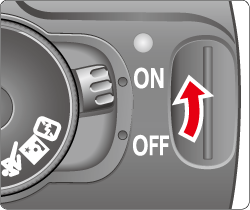
1. Set the power switch to <ON>.
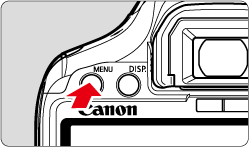
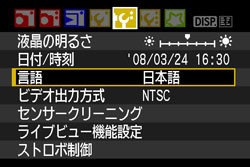
2. Press the <MENU> button to display the menu.
3. Press the <Cross Keys> to select the [  ] tab.
] tab.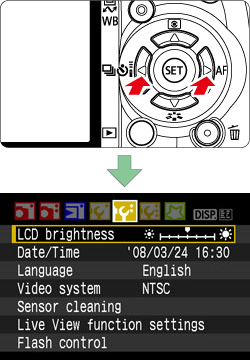
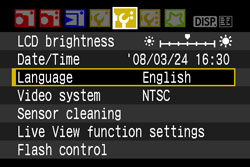
4. Press the <Cross Keys> to select [Language] and press the <SET> button.
5. Press the <Cross Keys> to select the desired language from the menu that appears.
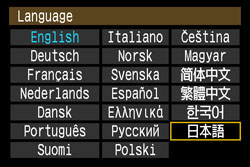
6. Press the <SET> button ,and then the menu language will change.
7. Press the <MENU> button to return to the shooting settings display.
This completes the process of selecting the interface language.