





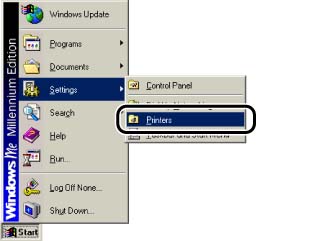
Displaying the [Printer Properties] dialog box from the [Printers] folder (Windows 98/Me)
สารละลาย
1. From the [Start] menu, select [Settings] -> [Printers].
2. Select the icon for this printer, then select [Properties] from the [File] menu.
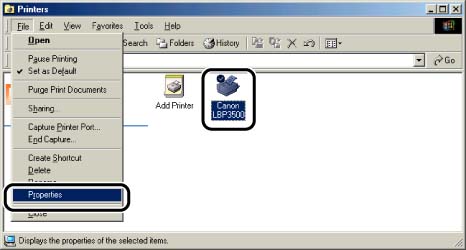
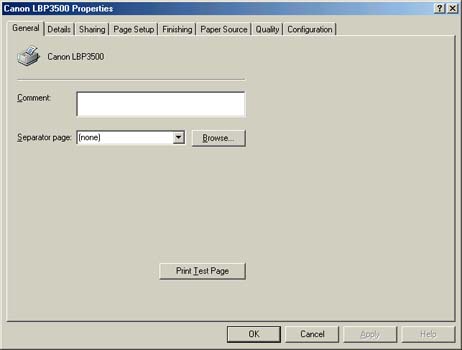
The [Printer Properties] dialog box is displayed.
NOTE
The [Printer Properties] dialog box can also be displayed by right-clicking the icon for this printer and selecting [Properties] from the pop-up menu.