






Erasing Images
สารละลาย
This section explains how to erase images.
IMPORTANT
- Be careful when erasing images, because they cannot be recovered.
- Protected images cannot be erased.
- The position and shape of the operation buttons, screens displayed, and setting items may differ according to the model you use.
You can erase unwanted images individually.
1. Press the <Playback> ( ) button to turn the camera on.
) button to turn the camera on.2. Press the < ><
>< > buttons to choose an image.
><> buttons to choose an image.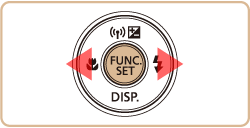
3. Press the < FUNC./SET> ( ) button.
) button.4. Press the < ><
>< > buttons to choose [Erase] (
 ).
).
>< > buttons to choose [Erase] ().Press the < FUNC./SET> () button.
) button.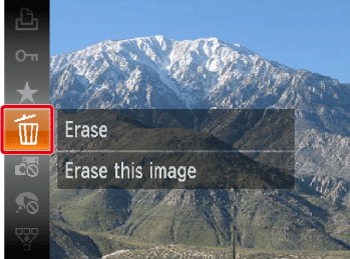
5. Press the <><> buttons to choose [Erase].
><> buttons to choose [Erase].Press the <FUNC./SET> () button to erase the image.
) button to erase the image.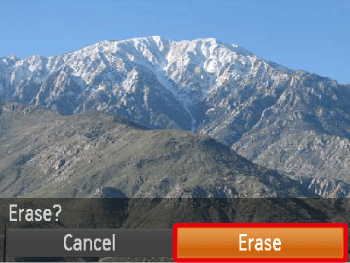
You can erase images that are in a specified range.
IMPORTANT
- Be careful when erasing images, because they cannot be recovered.
- Protected images cannot be erased.
1. Press the <Playback> () button to turn on the camera.
) button to turn on the camera.2. Press the < > button and choose [Erase] on the [Playback] (
 ) tab.
> button and choose [Erase] on the [Playback] () tab.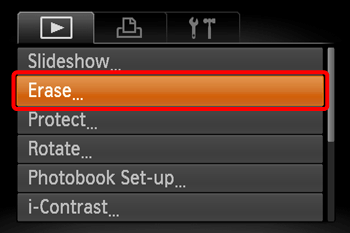
3. Press the <><> buttons to choose [Select Range].
><> buttons to choose [Select Range].Then, press the <FUNC./SET> () button.
) button.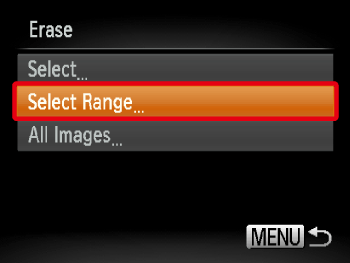
REFERENCE
- You can choose [Select] to individually specify the images that you want to erase.
- You can select [All Images] to erase all images at once.
4. Confirm that the [First Image] is selected, and then press the <FUNC./SET> () button.
) button.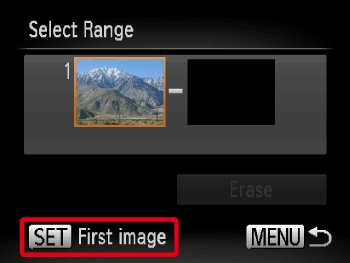
5. Press the <><> buttons to choose the [First Image] in the series of images that you want to erase.
><> buttons to choose the [First Image] in the series of images that you want to erase.Then, press the <FUNC./SET> () button.
) button.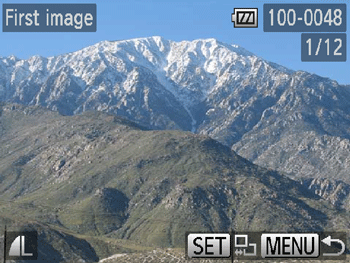
6. Press the <><> buttons to choose the [Last image].
><> buttons to choose the [Last image].Then, press the <FUNC./SET> () button.
) button.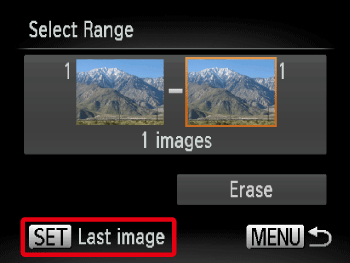
7. Press the <><> buttons to choose the [Last Image] in the series of images that you want to erase.
><> buttons to choose the [Last Image] in the series of images that you want to erase.Then, press the <FUNC./SET> () button.
) button.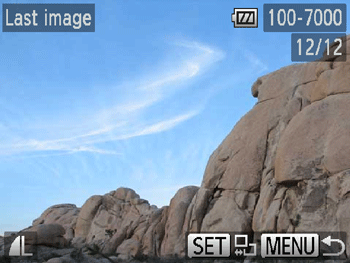
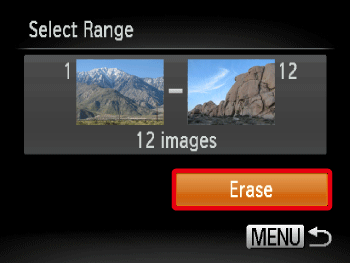
8. Press the <><> buttons to choose [Erase].
><> buttons to choose [Erase].Press the <FUNC./SET> () buttons to erase the images in the specified range.
) buttons to erase the images in the specified range.